> ## Documentation Index
> Fetch the complete documentation index at: https://help.memoryplugin.com/llms.txt
> Use this file to discover all available pages before exploring further.
# Bulk Operations
> Select and act on many memories at once
export const ArticleInfo = ({author, lastUpdated}) => {
const authorAvatar = author === 'Alara' ? '/images/author-alara.jpg' : author === 'asad' ? '/images/author-alara.jpg' : null;
const formatDate = dateInput => {
if (!dateInput) return '';
if (typeof dateInput === 'string' && !dateInput.match(/^\d{4}-\d{2}-\d{2}/)) {
return dateInput;
}
try {
const date = new Date(dateInput);
const now = new Date();
const diffTime = Math.abs(now - date);
const diffDays = Math.floor(diffTime / (1000 * 60 * 60 * 24));
if (diffDays === 0) return 'today';
if (diffDays === 1) return '1 day ago';
if (diffDays < 7) return `${diffDays} days ago`;
if (diffDays < 30) return `${Math.ceil(diffDays / 7)} week${Math.ceil(diffDays / 7) > 1 ? 's' : ''} ago`;
if (diffDays < 365) return `${Math.ceil(diffDays / 30)} month${Math.ceil(diffDays / 30) > 1 ? 's' : ''} ago`;
return `${Math.ceil(diffDays / 365)} year${Math.ceil(diffDays / 365) > 1 ? 's' : ''} ago`;
} catch {
return dateInput;
}
};
return
{authorAvatar ? : author?.[0]?.toUpperCase()}
Written by {author}
Last updated {formatDate(lastUpdated)}
;
};
Bulk operations let you select many memories and move or delete them in one go. Useful when you are reorganizing a large bucket or clearing out memories you no longer want.
## Entering selection mode
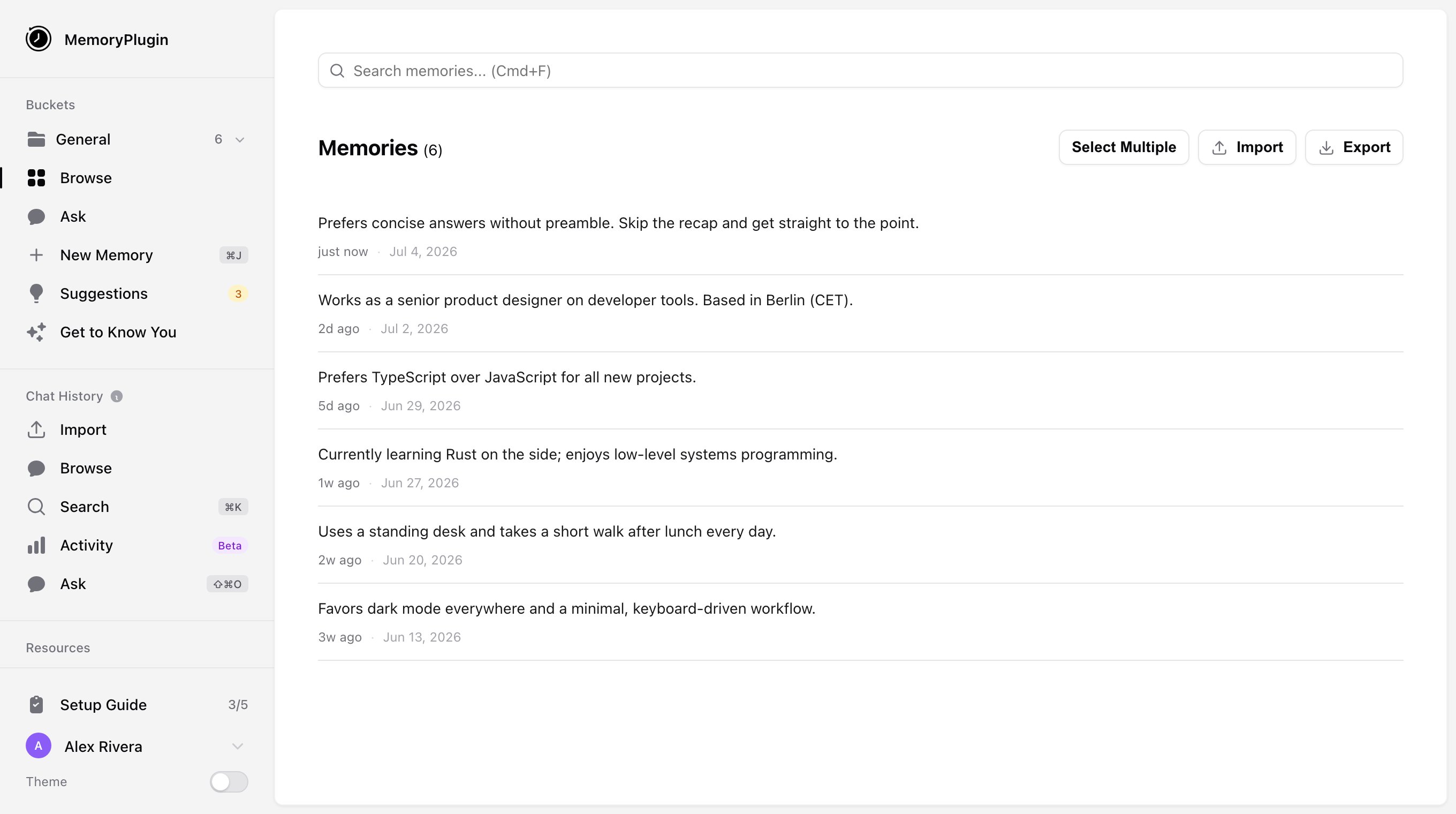
In your [dashboard](https://memoryplugin.com/dashboard), open the bucket you want to work in. The memory list header reads **Memories ({count})**.
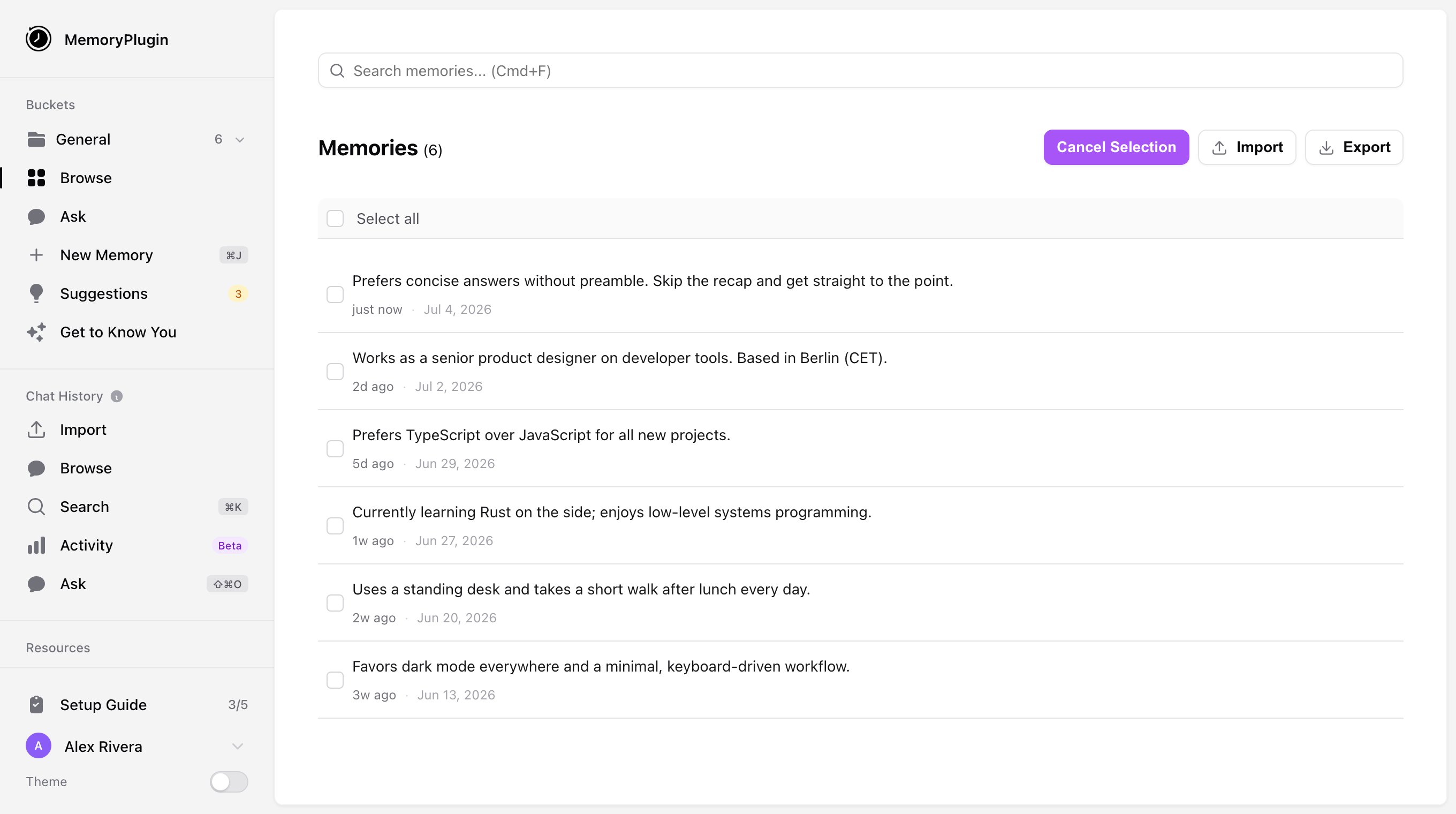
Click **Select Multiple** in the list header. The button changes to **Cancel Selection**, and a checkbox appears on each memory.
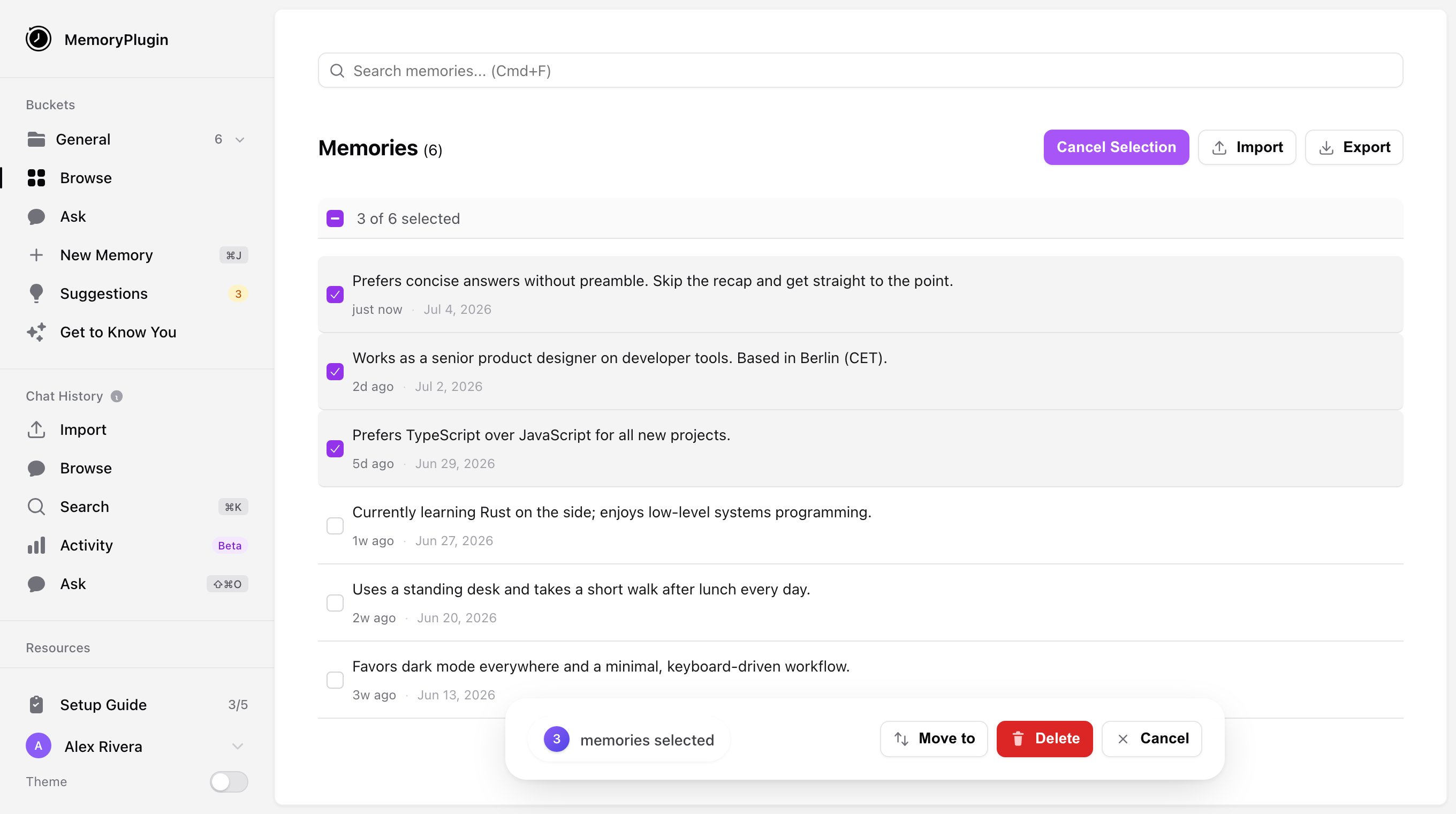
Check the memories you want. The header shows a running count as **{x} of {n} selected**, and a **Select all** control selects every memory in the bucket (**All {n} selected**).
## Moving memories
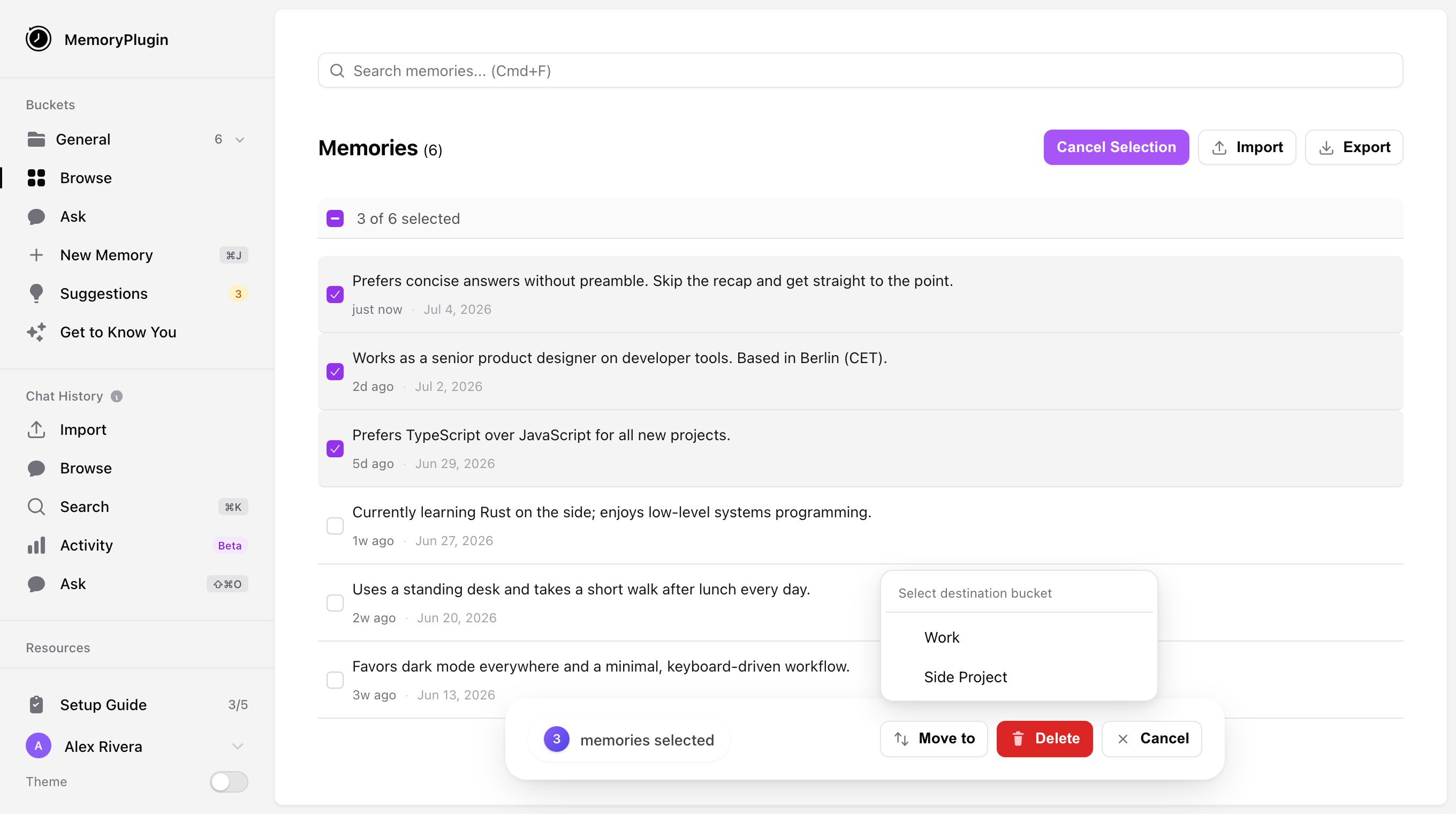
With memories selected, open the **Move to** dropdown in the bulk actions bar. It is headed **Select destination bucket**.
Choose the destination. The memories move (the bar shows **Moving...**), and you get a **Memories moved successfully** toast.
Moving memories into a bucket that is shared with you asks for confirmation first, since the memories become visible to everyone with access to that bucket.
## Deleting memories
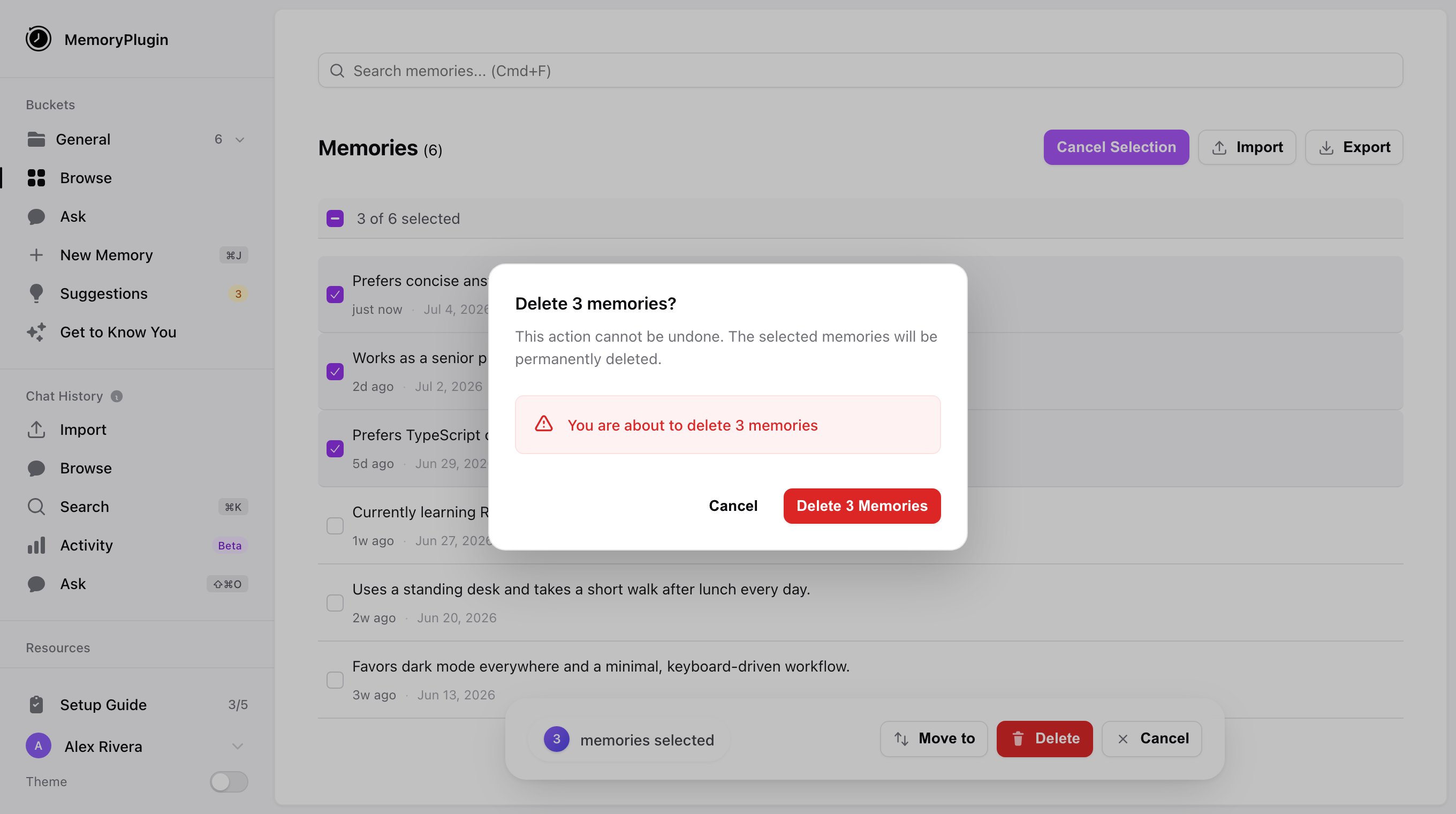
With memories selected, click **Delete** in the bulk actions bar.
The **Delete {n} memories?** dialog appears. Confirm with **Delete {n} Memories**. The bar shows **Deleting...**, then a **Memories deleted successfully** toast.
Bulk deletion is permanent and cannot be undone. Check your selection before confirming.
## Exporting a selection
While in selection mode you can also export. Once memories are checked, the **Export** button becomes **Export Selected ({n})** and opens the export dialog, where you can copy the memories to your clipboard or download them as CSV, JSON, or text. See [Import & Export](/features/import-export) for the details.
## Leaving selection mode
Click **Cancel Selection** to exit without acting on your selection.
## Tips
* **Search or filter first** to narrow the list, then select. Easier than scrolling.
* **Check the bucket** you are in before selecting, so you don't act on the wrong one.
* **Double-check before deleting.** It is permanent.
Bulk operations cover move, delete, and export. There is no bulk editing of memory text; edit memories one at a time from their row.
## Next steps
Organize memories into separate contexts
Bring memories in or take them out in bulk
 : author?.[0]?.toUpperCase()}