> ## Documentation Index
> Fetch the complete documentation index at: https://help.memoryplugin.com/llms.txt
> Use this file to discover all available pages before exploring further.

# Introduction

> Let your AI draw on every conversation you've had with it

export const ArticleInfo = ({author, lastUpdated}) => {
  const authorAvatar = author === 'Alara' ? '/images/author-alara.jpg' : author === 'asad' ? '/images/author-alara.jpg' : null;
  const formatDate = dateInput => {
    if (!dateInput) return '';
    if (typeof dateInput === 'string' && !dateInput.match(/^\d{4}-\d{2}-\d{2}/)) {
      return dateInput;
    }
    try {
      const date = new Date(dateInput);
      const now = new Date();
      const diffTime = Math.abs(now - date);
      const diffDays = Math.floor(diffTime / (1000 * 60 * 60 * 24));
      if (diffDays === 0) return 'today';
      if (diffDays === 1) return '1 day ago';
      if (diffDays < 7) return `${diffDays} days ago`;
      if (diffDays < 30) return `${Math.ceil(diffDays / 7)} week${Math.ceil(diffDays / 7) > 1 ? 's' : ''} ago`;
      if (diffDays < 365) return `${Math.ceil(diffDays / 30)} month${Math.ceil(diffDays / 30) > 1 ? 's' : ''} ago`;
      return `${Math.ceil(diffDays / 365)} year${Math.ceil(diffDays / 365) > 1 ? 's' : ''} ago`;
    } catch {
      return dateInput;
    }
  };
  return <div style={{
    display: "flex",
    alignItems: "center",
    gap: "8px",
    marginBottom: "16px",
    padding: "8px 12px",
    backgroundColor: "var(--ifm-color-emphasis-100)",
    borderRadius: "6px",
    fontSize: "14px",
    color: "var(--ifm-color-content-secondary)",
    border: "1px solid var(--ifm-color-emphasis-200)",
    opacity: "0.8"
  }}>
      <div style={{
    width: "40px",
    height: "40px",
    borderRadius: "50%",
    background: authorAvatar || "linear-gradient(45deg, #4F46E5, #7C3AED)",
    display: "flex",
    alignItems: "center",
    justifyContent: "center",
    color: "white",
    fontWeight: "bold",
    fontSize: "18px"
  }}>
        {authorAvatar ? <img src={authorAvatar} alt={author} style={{
    width: "100%",
    height: "100%",
    borderRadius: "50%"
  }} /> : author?.[0]?.toUpperCase()}
      </div>
      <div>
        <div style={{
    fontWeight: "400",
    fontSize: "14px"
  }}>Written by <span style={{
    fontWeight: "600"
  }}>{author}</span></div>
        <div style={{
    fontSize: "14px"
  }}>Last updated <span style={{
    fontWeight: "600"
  }}>{formatDate(lastUpdated)}</span></div>
      </div>
    </div>;
};

<ArticleInfo author="Alara" lastUpdated="2026-07-04" />

You've explained your whole project to ChatGPT across a dozen conversations. Then you switch to Claude, or just open a new chat, and all of that is gone. Chat History brings it back.

## What is Chat History Memory?

Chat History Memory gives MemoryPlugin access to the full conversations you've had with your AI tools, not just short facts pulled out of them. That means complete discussions spanning months or years, available as context in new chats.

If memories are **the notebook** your AI carries into every conversation, Chat History is **the archive**: the complete record, consulted when something in it is relevant.

### How it's different from regular memory

**Regular Memory** stores condensed facts:

```
- Sarah is a software engineer with 5 years experience
- Prefers React over Vue
- Working on an e-commerce side project
- Learns best through examples
```

**Chat History Memory** stores the actual conversations those facts came from:

```
"I've been trying to learn React hooks for my e-commerce project.
I watched some tutorials but I'm still confused about useEffect..."

"That example really helped! I learn much better when I can see
the code in context rather than just reading documentation..."

"I tried Vue last year but the reactivity model didn't click for me.
React's component lifecycle makes more sense to my brain..."
```

Regular Memory knows *what*. Chat History Memory knows *how* and *why*: your thought process, learning style, past struggles, and the context behind each fact.

With chat history, the AI can see that you struggled with useEffect but understood it through examples. It knows you prefer React because Vue's reactivity didn't click. It can reference the specifics of your e-commerce project, not just that you're "working on a project."

## Why it matters

If you use AI tools regularly, you've probably had hundreds or thousands of conversations covering:

* **Learning new topics**, from programming languages to cooking to career advice
* **Problem-solving**, working through challenges, debugging, brainstorming
* **Sharing context** about your situation, constraints, goals, and preferences
* **Tracking what works** for you and what doesn't
* **Building knowledge** over time: insights, decisions, and understanding

All of that context shapes how the AI should help you. It reveals:

* Your **skill level** in different areas, and how you think about a problem
* Your **learning patterns** (examples versus abstractions)
* Your **strengths and gaps** (confident with frontend, less so with databases)
* Your **communication style** (detailed explanations or quick answers)
* Your **background knowledge**, so the AI knows which analogies will land

### Context is everything

There's a saying in AI: garbage in, garbage out. The AI is only as good as the information it receives. Chat History Memory makes more of your real context available to it: the conversations that show your thought process, struggles, and preferences, not just the facts distilled out of them.

<Info>
  The difference is like handing someone your business card versus working with
  a colleague who's been in every meeting with you for years.
</Info>

## Privacy and security

Your chat history can contain sensitive information, and we treat it that way.

<AccordionGroup>
  <Accordion title="Explicit opt-in only" icon="hand">
    Chats are **never** uploaded without your explicit permission. Chat History is opt-in. You can use MemoryPlugin without ever enabling it.
  </Accordion>

  <Accordion title="Encrypted in transit and at rest" icon="lock">
    Your data is encrypted in transit and at rest using industry-standard encryption.
  </Accordion>

  <Accordion title="No third-party sales" icon="shield">
    We will never sell your data to third parties. Your conversations stay private.
  </Accordion>

  <Accordion title="Your data, your control" icon="user-shield">
    * Delete your data at any time, processed immediately
    * Exclude specific chats from being searchable
    * Data in backups is deleted after 30 days
    * Your data is kept private and separate from other users
  </Accordion>
</AccordionGroup>

Read more in our [Privacy Policy](https://www.memoryplugin.com/privacy-policy).

## How it works

You can add chat history in two ways:

* **Upload chat exports.** Export your history as JSON files from your AI tool and upload them. This is the fastest way to bring in your entire back catalog, and processing runs in the background.
* **Online sync.** Pull conversations directly from your account through the browser extension, no file download needed. Best for keeping new conversations current after your initial import. See [Importing Your Chats](/features/chat-history/importing) for the full comparison, supported platforms, and limits.

<Note>
  Both methods are opt-in. Chats are never uploaded or synced without your
  explicit permission.
</Note>

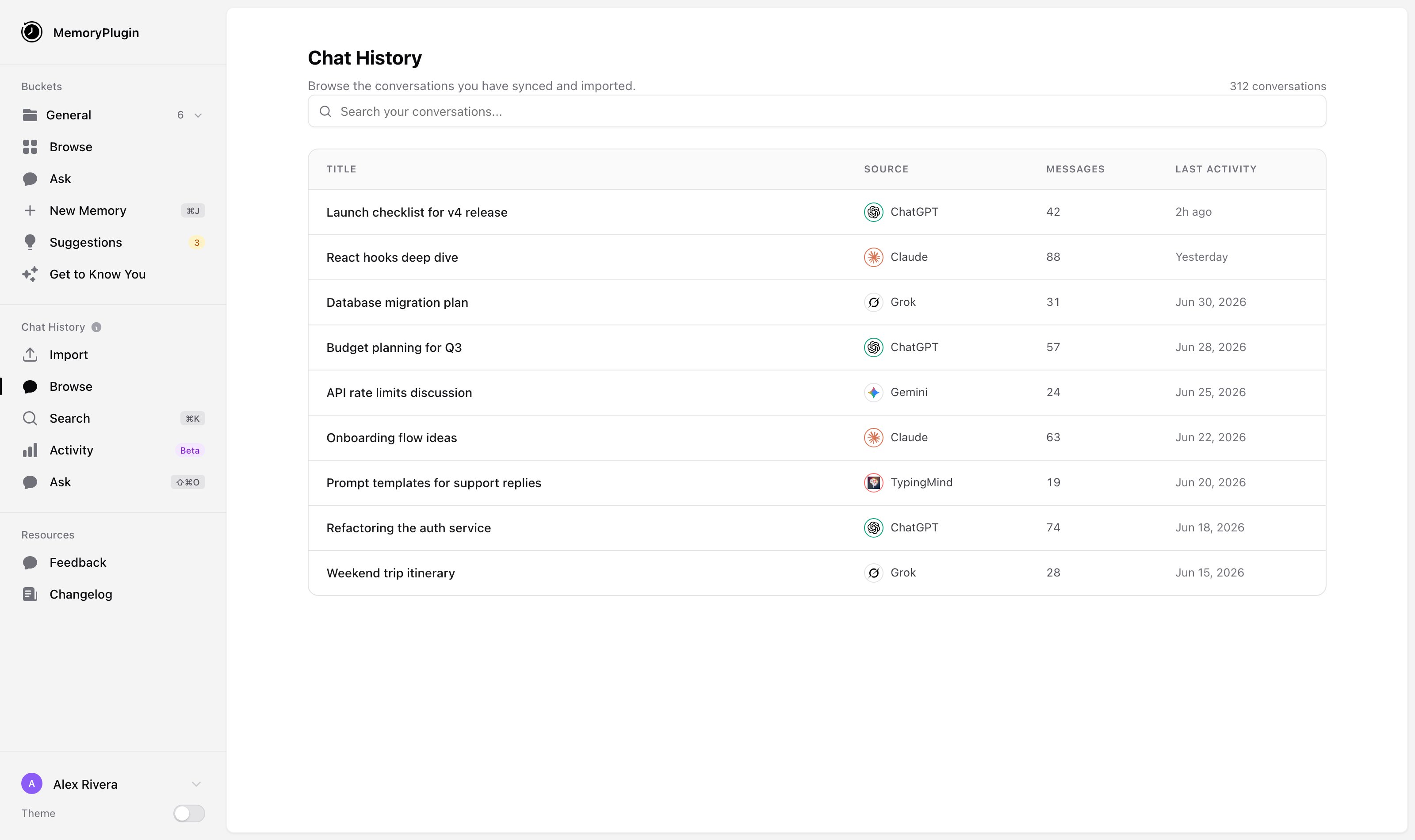
Once imported, you can search your chat history in the dashboard, and relevant context is added to new conversations through the [Browser Extension](/integrations/browser-extension) or [MCP Server](/integrations/mcp-server).

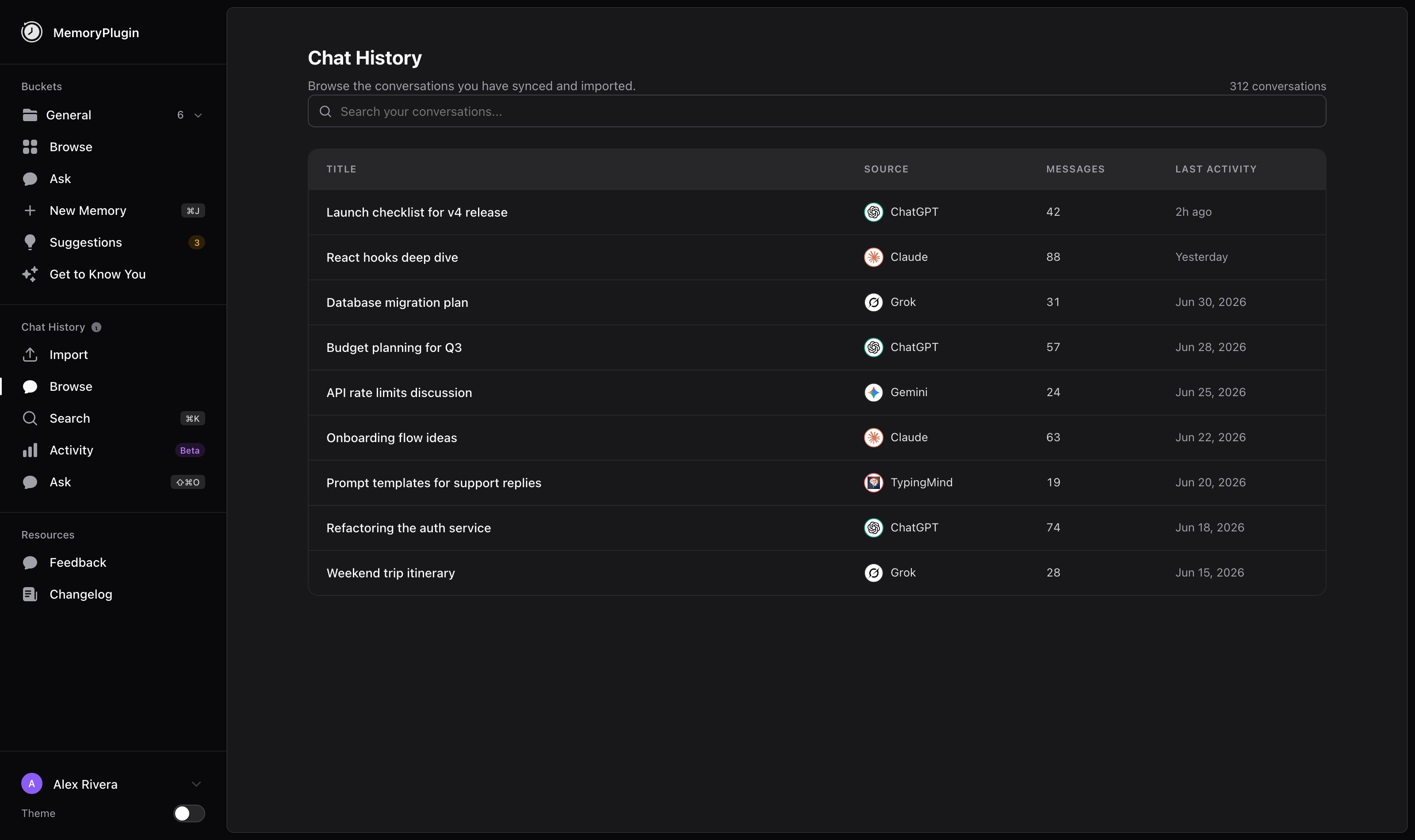
<Frame caption="The Browse page lists every synced and imported conversation, with its source platform, message count, and last activity. Search across all of them from the top.">
  <img className="block dark:hidden" src="https://mintcdn.com/memoryplugin/0D7zqA9Ak-TR54pG/images/screenshots/chat-history/browse-chats.png?fit=max&auto=format&n=0D7zqA9Ak-TR54pG&q=85&s=0123a8f88428063b5700ea6f8c2326a6" alt="Chat History Browse page listing conversations from ChatGPT, Claude, Grok, Gemini, and TypingMind with message counts and last activity" width="3200" height="1900" data-path="images/screenshots/chat-history/browse-chats.png" />

  <img className="hidden dark:block" src="https://mintcdn.com/memoryplugin/0D7zqA9Ak-TR54pG/images/screenshots/chat-history/browse-chats-dark.png?fit=max&auto=format&n=0D7zqA9Ak-TR54pG&q=85&s=0f09112dabbb8c758bd8a9a084a3a3cb" alt="Chat History Browse page listing conversations from ChatGPT, Claude, Grok, Gemini, and TypingMind with message counts and last activity" width="3200" height="1900" data-path="images/screenshots/chat-history/browse-chats-dark.png" />
</Frame>

## Platform support

### Using chat history (read)

Once imported, every platform supported by the [Browser Extension](/integrations/browser-extension) and [MCP Server](/integrations/mcp-server) can use your chat history as context:

ChatGPT, Claude, Gemini, Google AI Studio, Grok, Poe, DeepSeek, Qwen, and more.

It doesn't matter which platform a conversation originally came from. MemoryPlugin can surface it as context in any of them.

### Importing chat history (write)

You can bring chat history in from these platforms:

* **ChatGPT** (file upload or online sync)
* **Claude** (file upload or online sync)
* **Grok** (file upload or online sync)
* **TypingMind** (file upload or online sync)
* **DeepSeek** (online sync)
* **Gemini** (online sync; experimental, can break when Gemini's web UI changes)

<Info>
  We keep adding import support based on user requests.
  [Request your platform](https://feedback.memoryplugin.com).
</Info>