> ## Documentation Index
> Fetch the complete documentation index at: https://help.memoryplugin.com/llms.txt
> Use this file to discover all available pages before exploring further.

# Desktop App (Mac)

> Sync your Claude Code, Codex, and Cursor conversations into MemoryPlugin, and search every AI chat you've ever had from a menu bar app

export const ArticleInfo = ({author, lastUpdated}) => {
  const authorAvatar = author === 'Alara' ? '/images/author-alara.jpg' : author === 'asad' ? '/images/author-alara.jpg' : null;
  const formatDate = dateInput => {
    if (!dateInput) return '';
    if (typeof dateInput === 'string' && !dateInput.match(/^\d{4}-\d{2}-\d{2}/)) {
      return dateInput;
    }
    try {
      const date = new Date(dateInput);
      const now = new Date();
      const diffTime = Math.abs(now - date);
      const diffDays = Math.floor(diffTime / (1000 * 60 * 60 * 24));
      if (diffDays === 0) return 'today';
      if (diffDays === 1) return '1 day ago';
      if (diffDays < 7) return `${diffDays} days ago`;
      if (diffDays < 30) return `${Math.ceil(diffDays / 7)} week${Math.ceil(diffDays / 7) > 1 ? 's' : ''} ago`;
      if (diffDays < 365) return `${Math.ceil(diffDays / 30)} month${Math.ceil(diffDays / 30) > 1 ? 's' : ''} ago`;
      return `${Math.ceil(diffDays / 365)} year${Math.ceil(diffDays / 365) > 1 ? 's' : ''} ago`;
    } catch {
      return dateInput;
    }
  };
  return <div style={{
    display: "flex",
    alignItems: "center",
    gap: "8px",
    marginBottom: "16px",
    padding: "8px 12px",
    backgroundColor: "var(--ifm-color-emphasis-100)",
    borderRadius: "6px",
    fontSize: "14px",
    color: "var(--ifm-color-content-secondary)",
    border: "1px solid var(--ifm-color-emphasis-200)",
    opacity: "0.8"
  }}>
      <div style={{
    width: "40px",
    height: "40px",
    borderRadius: "50%",
    background: authorAvatar || "linear-gradient(45deg, #4F46E5, #7C3AED)",
    display: "flex",
    alignItems: "center",
    justifyContent: "center",
    color: "white",
    fontWeight: "bold",
    fontSize: "18px"
  }}>
        {authorAvatar ? <img src={authorAvatar} alt={author} style={{
    width: "100%",
    height: "100%",
    borderRadius: "50%"
  }} /> : author?.[0]?.toUpperCase()}
      </div>
      <div>
        <div style={{
    fontWeight: "400",
    fontSize: "14px"
  }}>Written by <span style={{
    fontWeight: "600"
  }}>{author}</span></div>
        <div style={{
    fontSize: "14px"
  }}>Last updated <span style={{
    fontWeight: "600"
  }}>{formatDate(lastUpdated)}</span></div>
      </div>
    </div>;
};

<ArticleInfo author="Alara" lastUpdated="2026-08-08" />

Your conversations with coding agents never leave your machine. Claude Code writes them to `~/.claude`, Codex to `~/.codex`, Cursor to `~/.cursor`, and that's where they stay: invisible to every other AI you use, and to you, once the terminal scrolls past. The MemoryPlugin desktop app fixes that. It watches those folders, syncs the conversations you choose into your MemoryPlugin chat history, and gives you a global search over everything you've ever discussed with any AI, one keyboard shortcut away.

<Note>
  The app is called **MemoryPlugin** on your Mac; the installer you download is labeled **MemoryPlugin Sync**. Same app.
</Note>

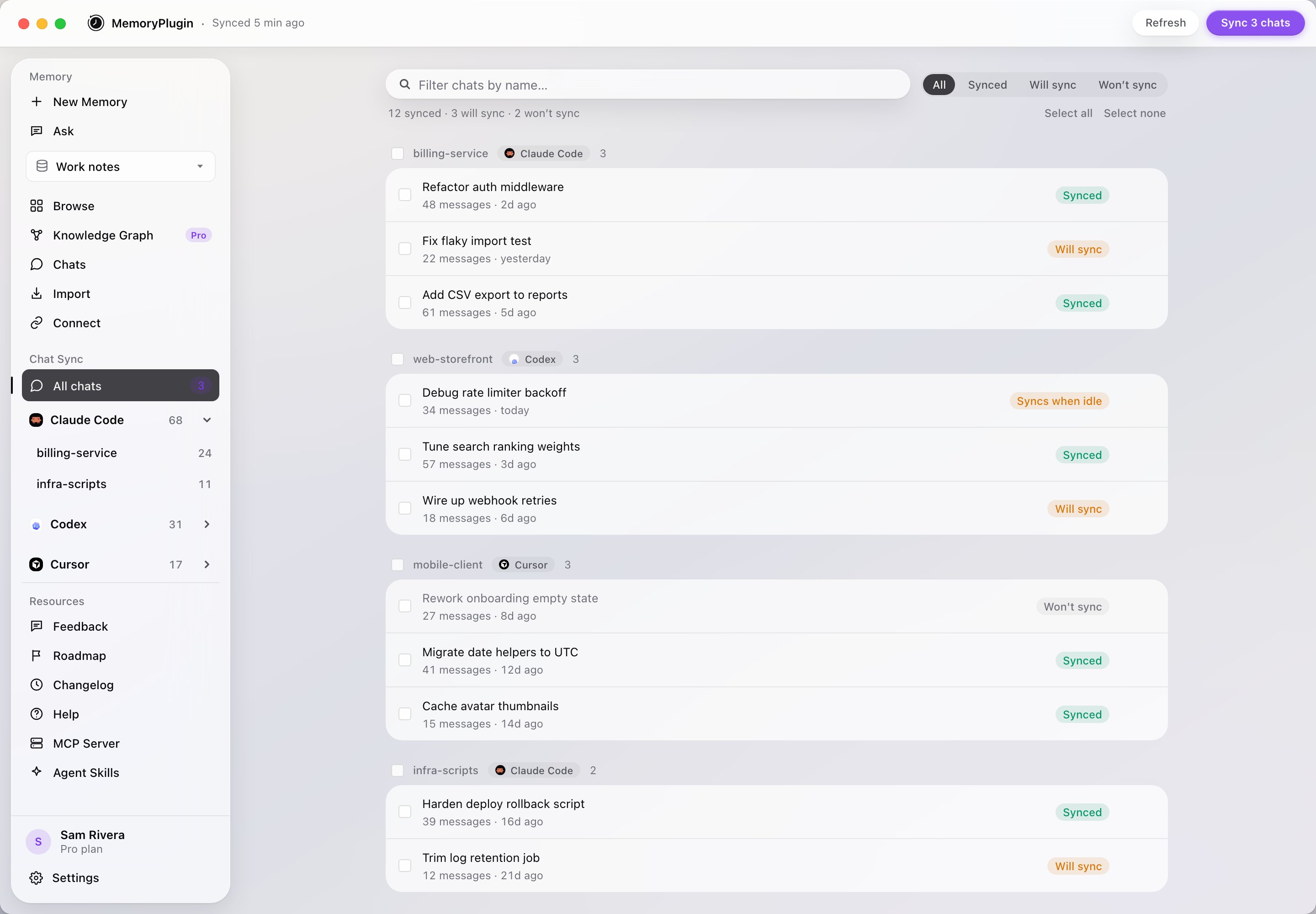
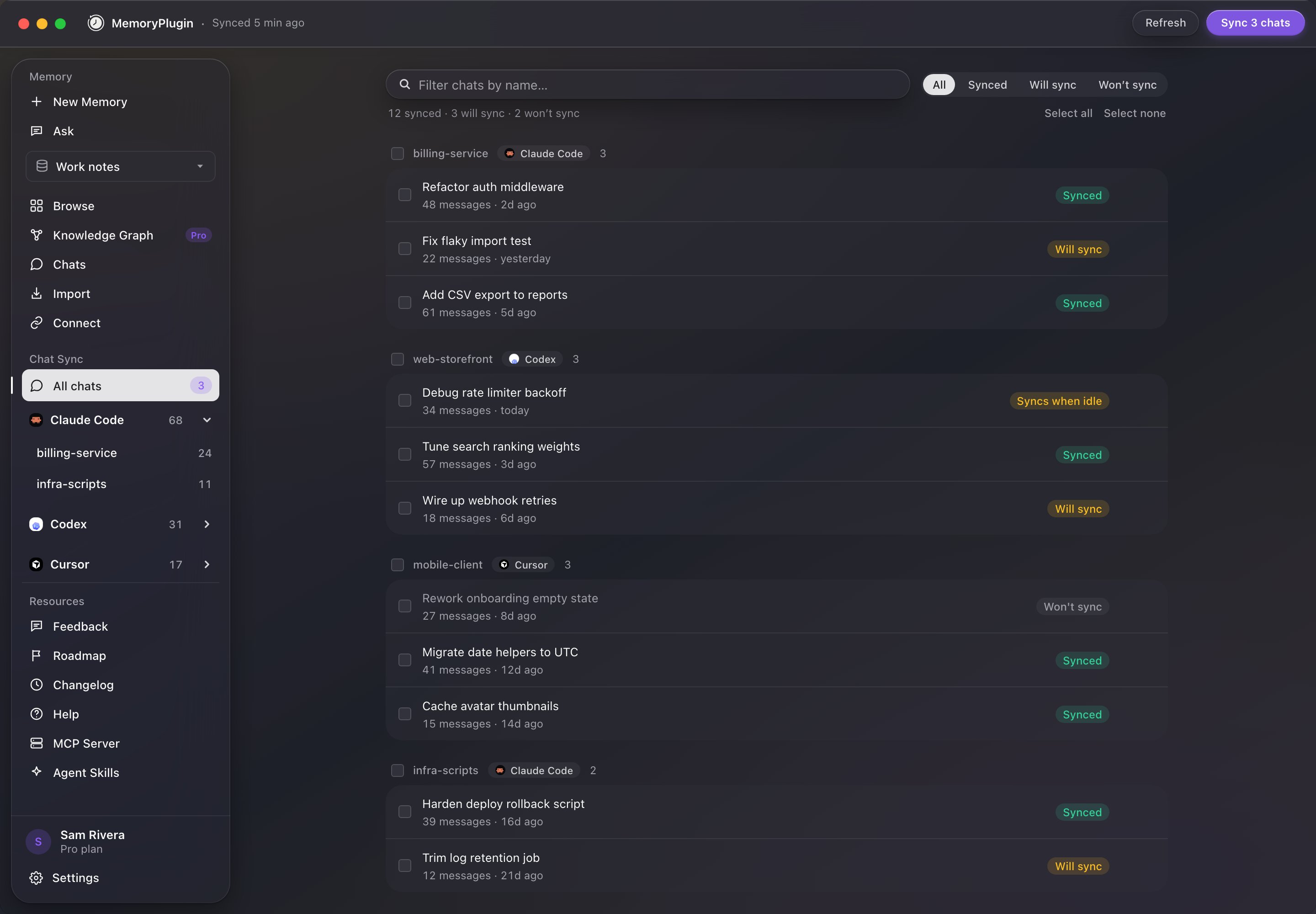
<Frame caption="The Chat Sync view: your coding tools and projects on the left, per-chat sync status on the right.">
  <img className="block dark:hidden" src="https://mintcdn.com/memoryplugin/e5IyUVjVa7F9uQhO/images/screenshots/desktop/desktop-chat-sync.png?fit=max&auto=format&n=e5IyUVjVa7F9uQhO&q=85&s=5e0d1ba084aaad6cd68161a686501e31" alt="MemoryPlugin desktop app showing Claude Code, Codex, and Cursor projects in the sidebar and a list of conversations with Synced and Will sync badges" width="2880" height="2000" data-path="images/screenshots/desktop/desktop-chat-sync.png" />

  <img className="hidden dark:block" src="https://mintcdn.com/memoryplugin/e5IyUVjVa7F9uQhO/images/screenshots/desktop/desktop-chat-sync-dark.png?fit=max&auto=format&n=e5IyUVjVa7F9uQhO&q=85&s=416f2ada694afa2480c647bc14e590f3" alt="MemoryPlugin desktop app showing Claude Code, Codex, and Cursor projects in the sidebar and a list of conversations with Synced and Will sync badges" width="2880" height="2000" data-path="images/screenshots/desktop/desktop-chat-sync-dark.png" />
</Frame>

## What it syncs

| Tool            | Where your chats live                             |
| --------------- | ------------------------------------------------- |
| **Claude Code** | `~/.claude/projects`                              |
| **Codex**       | `~/.codex/sessions` (including archived sessions) |
| **Cursor**      | `~/.cursor/projects` (agent transcripts)          |

Each synced chat carries its project or repo name, so a conversation about your API refactor stays attached to that repo. In the dashboard's chat history you'll see the project on every coding chat, and a **Project** filter appears once you have coding chats to filter.

The app is also selective on your behalf: subagent transcripts (the automated helper sessions Claude Code and Codex spawn internally) are skipped, and system noise like "session continued" markers never syncs.

## What leaves your Mac

Only the conversation itself. By default, **Focused sync** uploads your prompts and each turn's final answer; the agent's play-by-play stays local. And regardless of that setting, tool output, file contents, terminal commands, and thinking never leave your machine. The app has read-only access to the three chat folders above and nothing else.

Nothing uploads until you've reviewed the list and started your first sync. Every project and chat has a checkbox.

## Set up
<Steps>
  <Step title="Download and install">
    Grab the DMG from [memoryplugin.com/download](https://www.memoryplugin.com/download) and drag it into Applications.
  </Step>

  <Step title="Sign in">
    Click **Sign in with MemoryPlugin**. The app opens your browser, you approve it, and you're done: no API keys to copy. (If you prefer a token, **Use an API token instead** is under Advanced.) Credentials are stored in the macOS Keychain.
  </Step>

  <Step title="Choose what syncs">
    The app scans your local chats and shows everything it found. Untick anything you want to keep local, then start your first sync. Auto-sync only begins after this first review.
  </Step>
</Steps>

Syncing requires a **Pro** plan. Browsing and reading your local chats in the app is free on any plan.

## Staying in sync

After the first sync, the app watches your chat folders and syncs finished conversations in the background. A chat you're actively working in waits until it has been quiet for 15 minutes (you'll see a **Syncs when idle** badge), so half-finished sessions don't upload mid-thought. **Sync Now**, in the title bar or the menu bar icon, skips the wait and syncs everything immediately.

The menu bar icon shows sync status at a glance and offers **Sync Now**, **Pause Auto-Sync**, and **Check for Updates**.

Per chat, the **⋯** menu gives you **Don't sync this chat**, **Pin chat**, and **Remove from MemoryPlugin**, which deletes the chat from your MemoryPlugin history and stops it from syncing again. The local file stays on your Mac. Exclusions you set in the web app are mirrored in the desktop app, and vice versa.

## Search every chat with ⌘⇧K

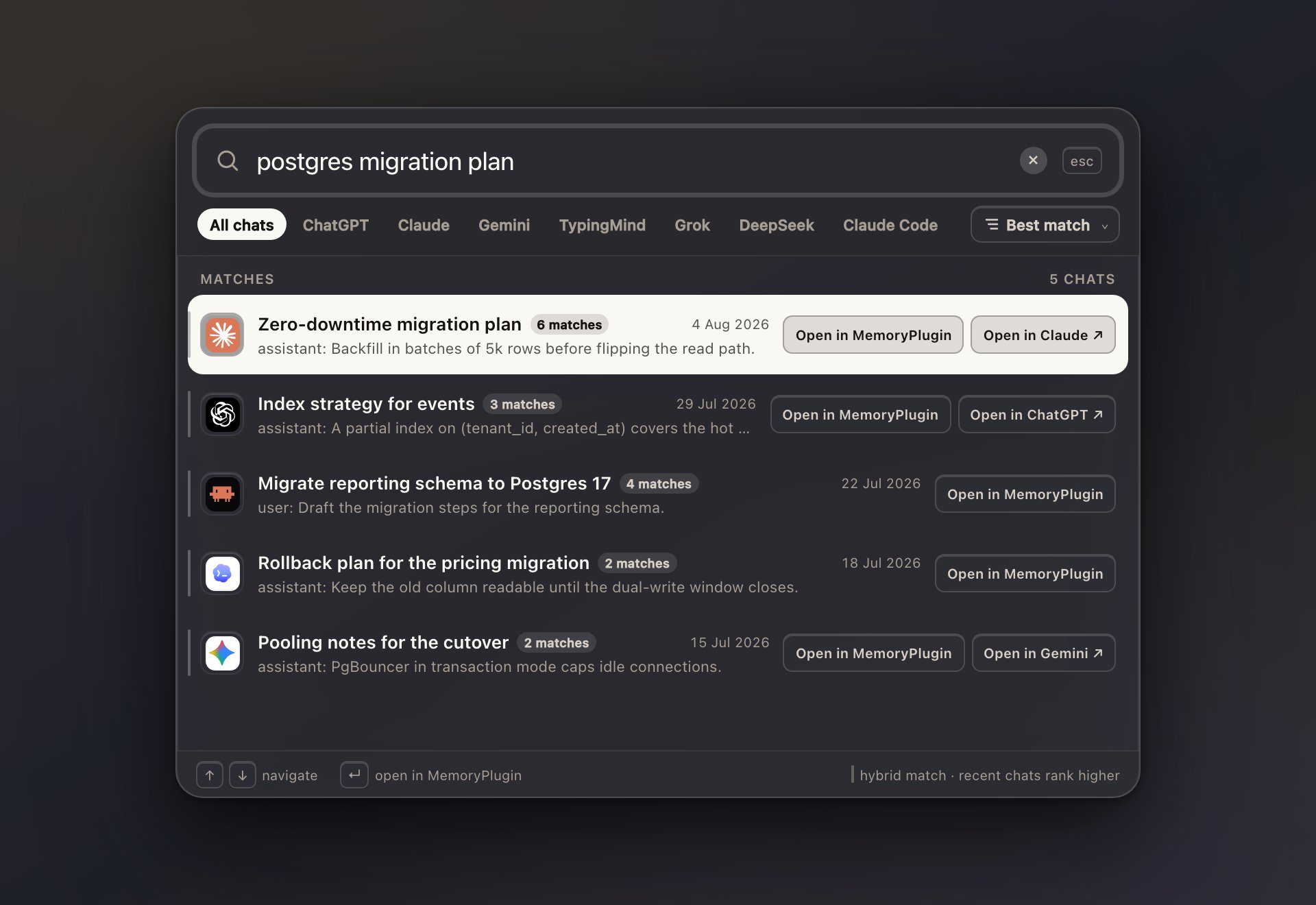
Press **⌘⇧K** from any app on your Mac and a search window appears over whatever you're doing. It searches your entire synced chat history, not just coding chats: ChatGPT, Claude, Gemini, Grok, DeepSeek, TypingMind, Claude Code, Codex, and Cursor conversations all come back in one ranked list, grouped by conversation with match counts. Filter by tool, sort by best match or date, and open a result in MemoryPlugin or on the platform it came from. The shortcut is configurable in Settings, and a **Recency boost** slider lets you decide how much newer chats should outrank older ones.

<Frame caption="Global quick search: one shortcut, every AI conversation you've synced.">
  <img className="block dark:hidden" src="https://mintcdn.com/memoryplugin/e5IyUVjVa7F9uQhO/images/screenshots/desktop/desktop-quick-search.png?fit=max&auto=format&n=e5IyUVjVa7F9uQhO&q=85&s=dbf208ca960150697871ba4feb99c7e5" alt="MemoryPlugin quick search window showing results across Claude Code, ChatGPT, and Cursor with provider filters and sort options" width="1920" height="1320" data-path="images/screenshots/desktop/desktop-quick-search.png" />

  <img className="hidden dark:block" src="https://mintcdn.com/memoryplugin/e5IyUVjVa7F9uQhO/images/screenshots/desktop/desktop-quick-search-dark.png?fit=max&auto=format&n=e5IyUVjVa7F9uQhO&q=85&s=f3e22927cd2211456631b12e496d8b1a" alt="MemoryPlugin quick search window showing results across Claude Code, ChatGPT, and Cursor with provider filters and sort options" width="1920" height="1320" data-path="images/screenshots/desktop/desktop-quick-search-dark.png" />
</Frame>

## The whole dashboard, in the app

The sidebar isn't just sync. The **Memory** section embeds the full MemoryPlugin dashboard: add memories, use [Ask](/features/ask), browse buckets, open your [chat history](/features/chat-history/introduction), manage imports, and check [Connect](/integrations/overview), all without opening a browser. Chat search results open in the same full conversation reader you get on the web, conversation map included. The app follows your Mac's light or dark appearance automatically.

## Updates

The app checks for updates about once a day and installs them only when you say so. You can check manually from the **MemoryPlugin** menu or the menu bar icon.

## Requirements

* Apple Silicon Mac, macOS 12 or later. Intel and Windows are on the way.
* A MemoryPlugin account. Syncing needs Pro; browsing local chats is free.

<CardGroup cols={2}>
  <Card title="Chat History" icon="clock-rotate-left" href="/features/chat-history/introduction">
    What happens to your chats after they sync
  </Card>

  <Card title="Using your chat history" icon="magnifying-glass" href="/features/chat-history/using">
    Search, recall, and Ask over synced conversations
  </Card>

  <Card title="Agent skills" icon="wand-magic-sparkles" href="/integrations/remote-mcp-server">
    Give Claude Code and Codex live access to your memory
  </Card>

  <Card title="Browser extension" icon="browser" href="/integrations/browser-extension">
    Sync your browser-based AI chats the same way
  </Card>
</CardGroup>