

 LibreChat is an open-source, self-hostable chat interface for many AI models, with a hosted app at librechat.ai. MemoryPlugin adds long-term memory that carries across your other AI tools, through the browser extension.
Set up
1
Install the extension
Install the browser extension and sign in to your MemoryPlugin account.
2
Open LibreChat
Go to librechat.ai. A floating MemoryPlugin button appears on the page.
3
Activate for the chat
Click the button to inject memories from your selected bucket into the composer, then send your message. This also tells the model how to save new memories as you talk.
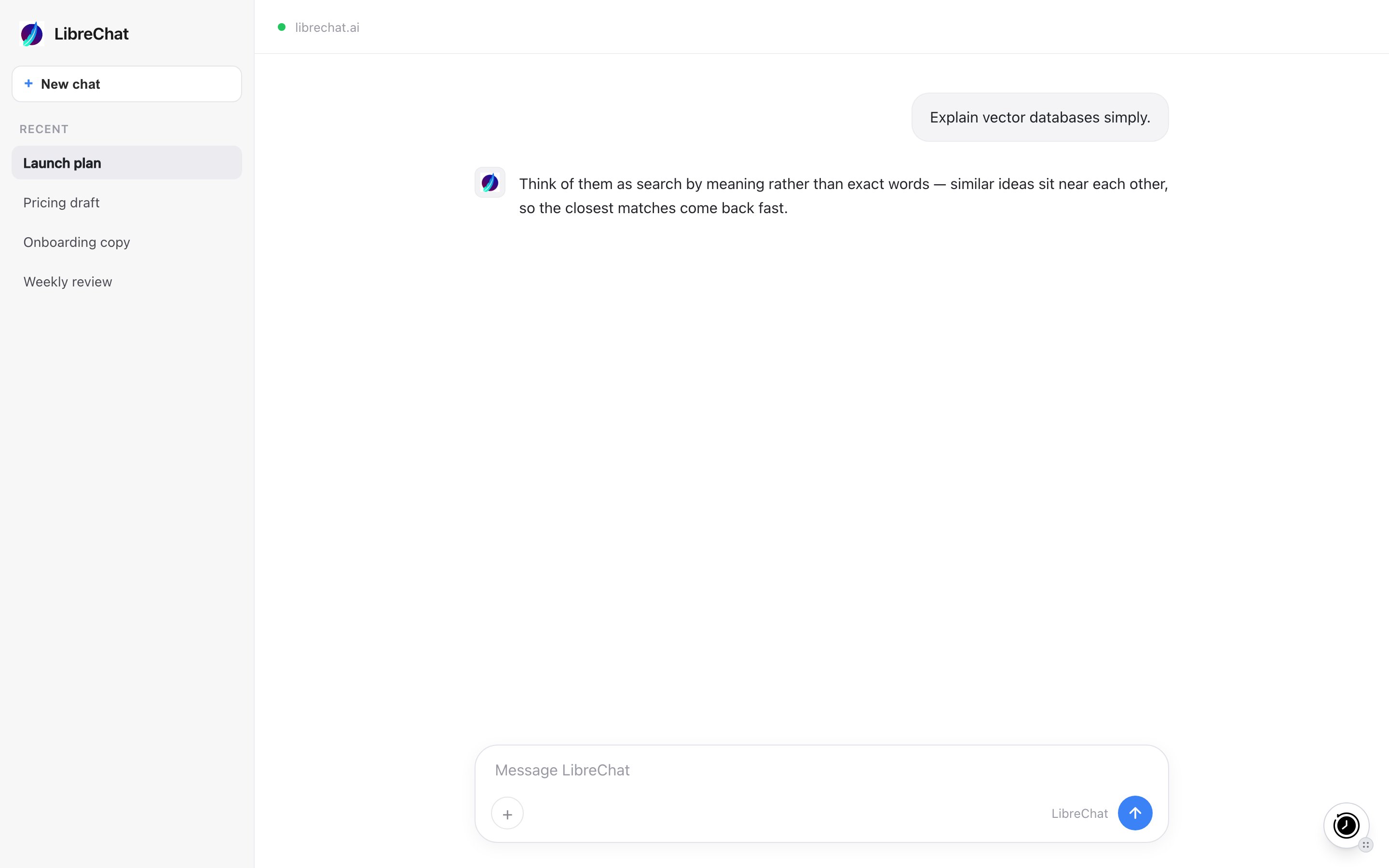
The MemoryPlugin floating button on librechat.ai. Click it to inject memories or open the panel.
What works here
- Memory recall and save. Injected memories give the model context; new memories are saved back as you talk.
- Extract memory pill. Select text in a chat and click Extract memory to save that snippet.
Limitations
- No chat history sync here. The extension captures new conversations only on ChatGPT, Claude, Gemini, Grok, DeepSeek, and TypingMind. You can still recall chat history imported from those tools while chatting in LibreChat.
Next steps
Browser Extension
Full setup and features
Support
Questions about this integration