

Knowledge Graph is in early beta. It works, but it’s new and rough around the edges, and how it behaves may change. Treat it as something to try, not a finished feature to rely on.
Generating a graph
1
Select a memory bucket
Open Knowledge Graph from the sidebar and pick a memory bucket. Without one selected, the page prompts you to choose a bucket.
2
Generate
Click Generate. A confirmation dialog explains that this analyzes every memory in the bucket and can take up to 30 minutes for large buckets. Confirm to start.
3
Come back for it
Generation runs in the background. You can close the page and return later; the graph shows a processing state while it builds.


An example of the kind of map it builds: entities connected by typed relationships.
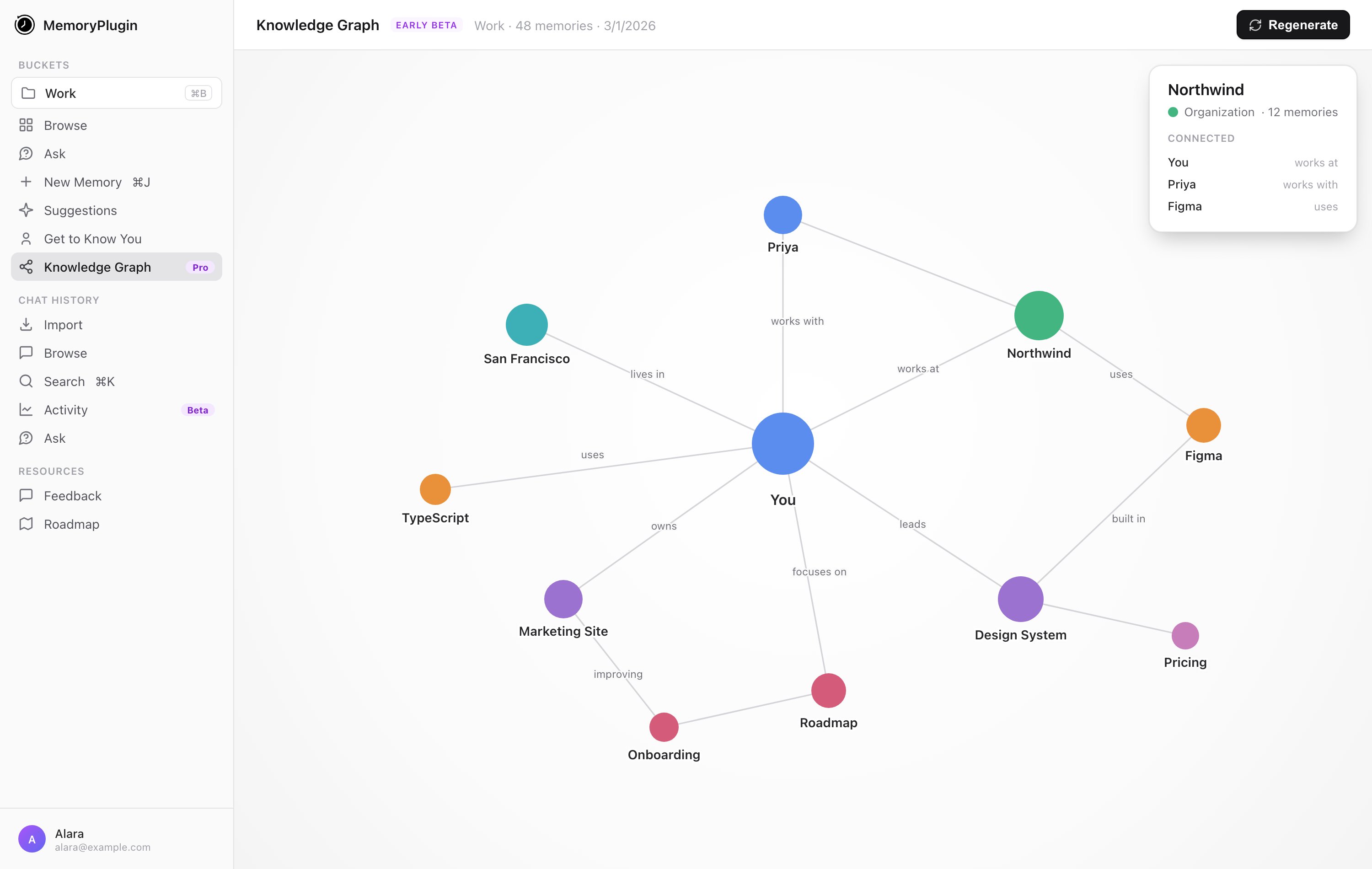
A generated knowledge graph: concepts as nodes, typed relationships as labelled edges. Click a node to see how it connects.
Good to know
- It’s per bucket. Each graph maps a single bucket, not your whole account.
- It can take a while. Building a graph uses AI and can take up to 30 minutes for a large bucket. This isn’t instant, and that’s expected.
- Memory buckets only. Point it at a bucket that has memories in it.
Next steps
Memory Buckets
Organize memories into the buckets a graph is built from
Smart Memory
Group a bucket into categories for token-efficient recall